Model Use in System and Product Design
NOTE: This is an abbreviated version of “Why use models?”. The complete article also shows how a system model is built from the bottom-up.
TL:DR
The use of product and systems models in early stages of requirement gathering and product definition allows for early market validation, unblocks development, and speeds the creation and accuracy of final, front-end designs.
model /mŏd′l/
noun
A small object, usually built to scale, that represents in detail another, often larger object.
A preliminary work or construction that serves as a plan from which a final product is to be made
What you should use instead of screens to design products.
How models unblock developers (and make life easier for designers)
Why might a developer say they are “blocked” and “need screens”? It would be highly unprofessional and therefore highly unlikely they were simply stalling for time (*cough*).
No, what they’re really asking is, “what do I have to build?”
At its lowest level of resolution, a system model will have a placeholder for every critical function (e.g. the login flow, the permissions model, etc.) and show the relationships between them (required/optional, one-way or two-way data exchange, etc.). This alone is essential information for developers. Even if a particular function is new to the product it’s highly unlikely to be new to the overall industry. Developers can reference existing implementations and code libraries to scope and begin work.
The Amazon Kindle Out-of-Box Experience (OOBE)* system model is particularly good example of how a system model can eliminate the need for screen designs until there’s really nothing left to do but front end work. (I discuss the background of the overall project here▸).
Amazon Kindles originally shipped pre-configured. It was great user experience—the device automatically logged onto the user account when turned on the first time. However, to reduce costs and simplify distribution new Kindle users were required to enter Amazon account information manually. This required a new on-device account creation (ODAC) flow within the setup process.
In the absence of detailed requirements I initially referenced ODAC with a simple placeholder icon in the model. Even at this early stage, developers could see exactly how and where ODAC would be accessed within the larger OOBE process.
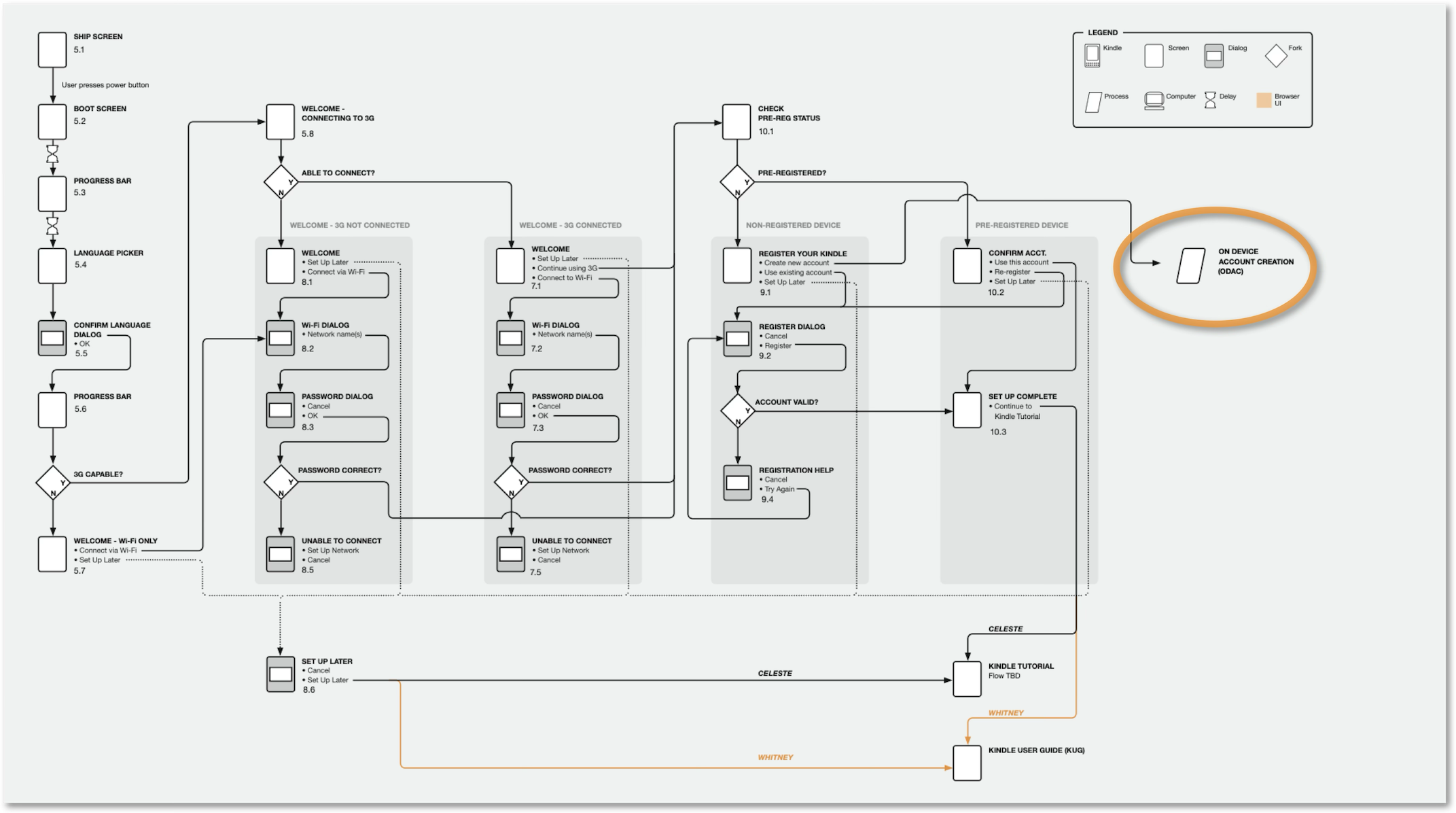
Kindle ODAC in the larger system model
I added more detail to the model as necessary. For example, I updated the model when we determined that ODAC would have five discreet steps.
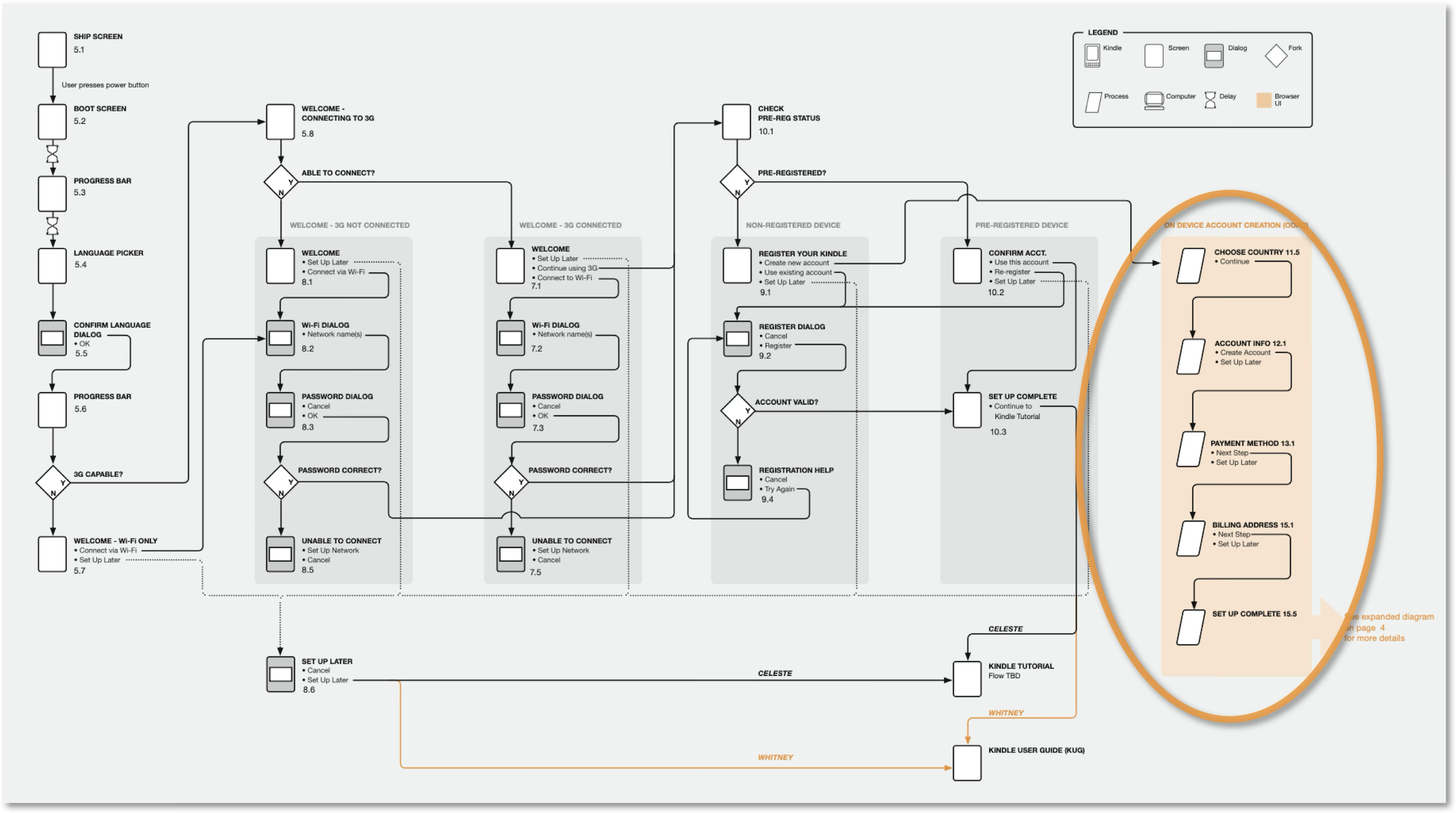
The ODAC element grew as requirements were better understood
Developers, of course, asked for screens. I didn’t deliver screens. I added a table and simple flow diagram to the model which identified:
Each of the ODAC forms and screens
The fields on every form
Actions which might require a button, link or other UX widget
The order and flow between forms
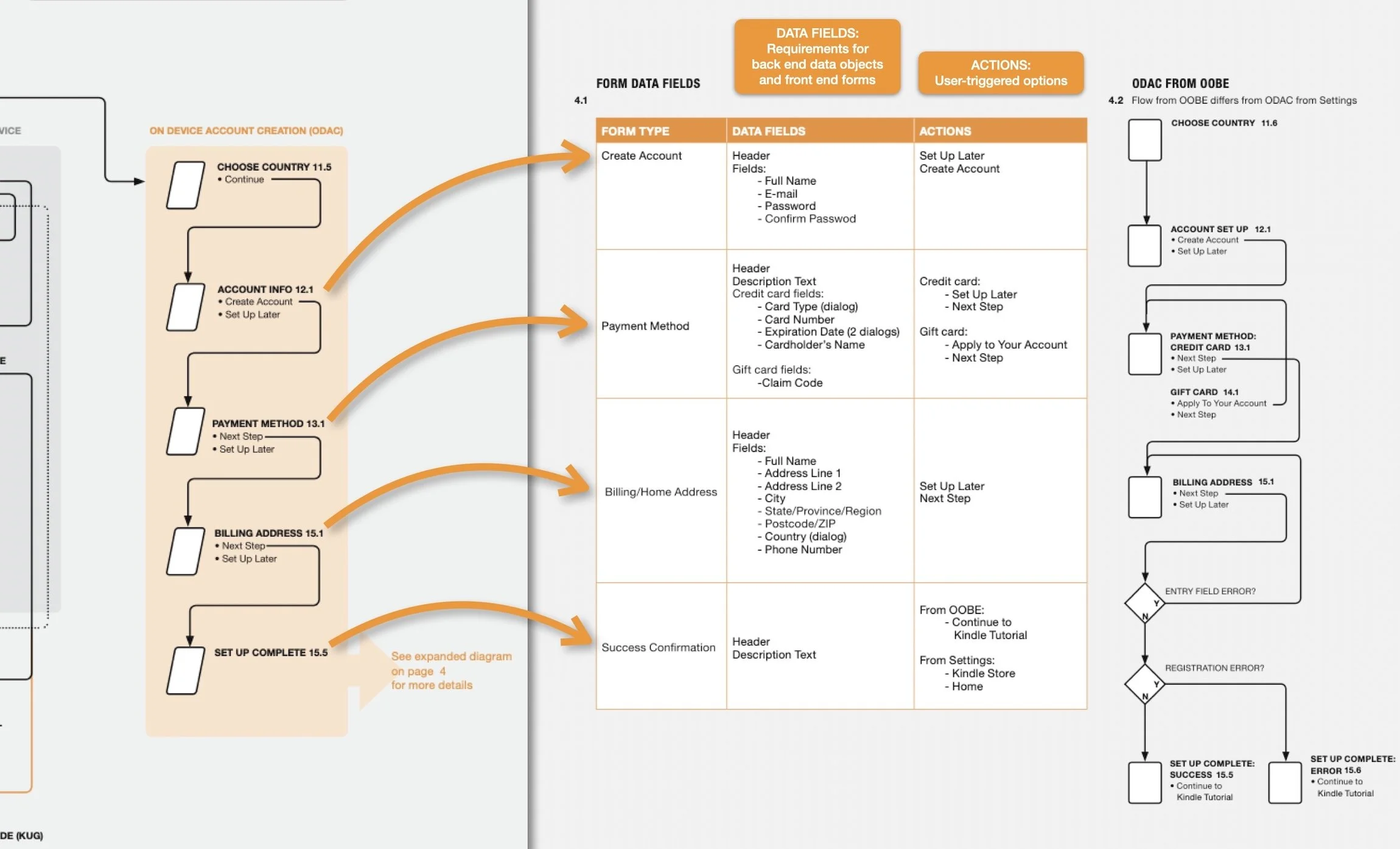
Details for all screens—but no screens!
Of course, I eventually delivered detailed screens. But at this point all functional requirements and issues had been resolved.
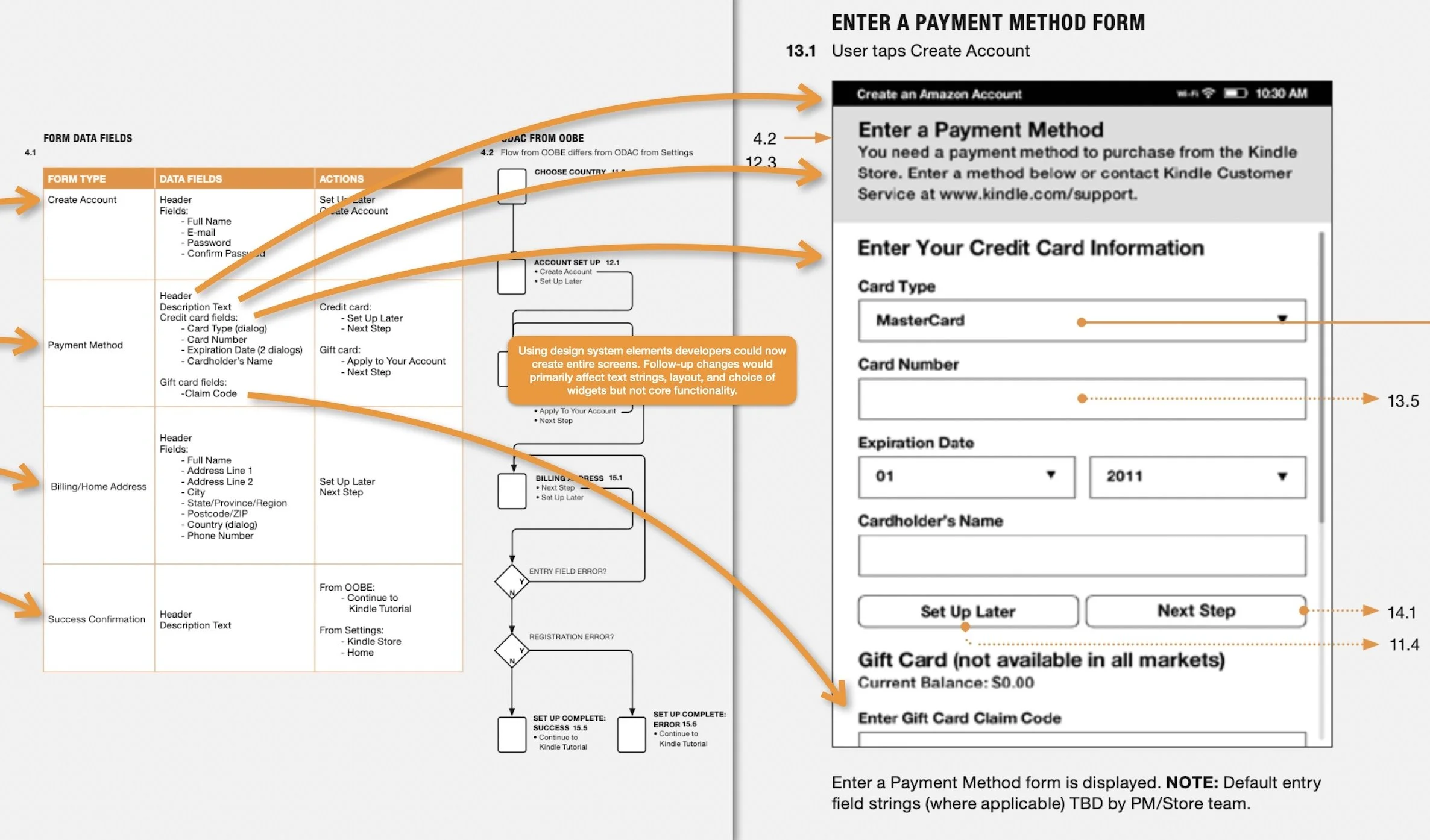
A final screen based on system model work.